
Features
Everything you need to run a godown, in one app
Stock in and out, gate passes, stock receipts, rent and invoices, payments, reports and full control over your team.
Goods coming in
Every arrival becomes a numbered lot
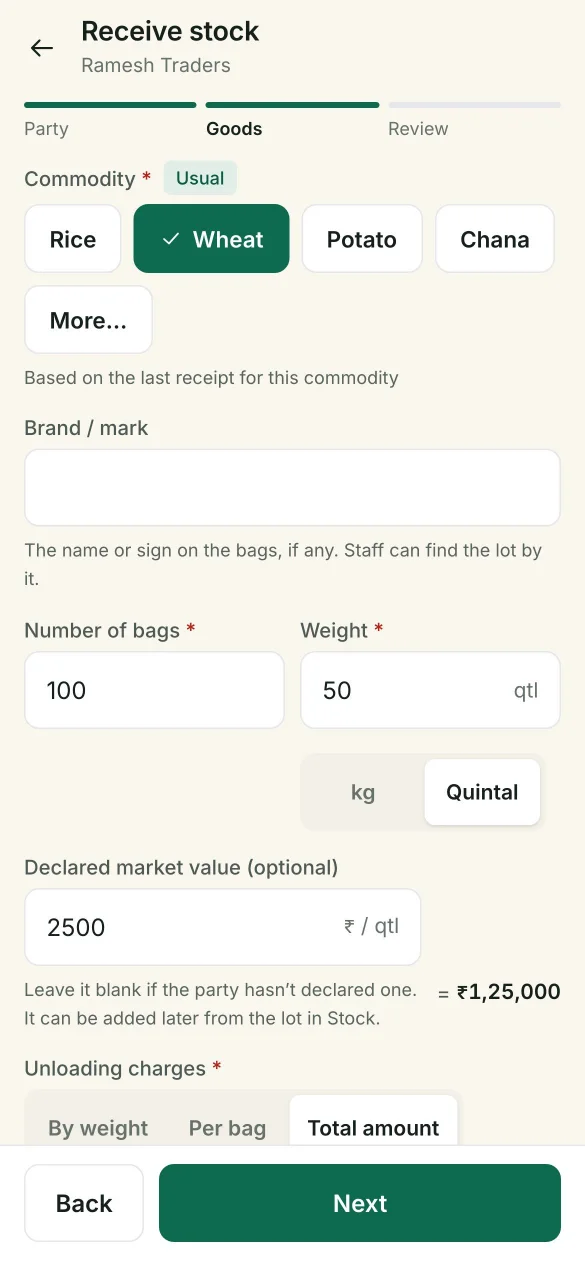
Staff pick the party, choose the commodity and enter the goods. Godaam numbers each lot by year, and lot numbers are never reused.
- PartySearch by name or mobile, or tap a recent party.
- GoodsCommodity (the party’s usual one is already selected), bags, weight in quintal or kg, brand or mark, declared market value, unloading charges, storage location, vehicle number and notes.
- Check and saveA review screen before saving. A value far from the usual one for that commodity gets a warning.
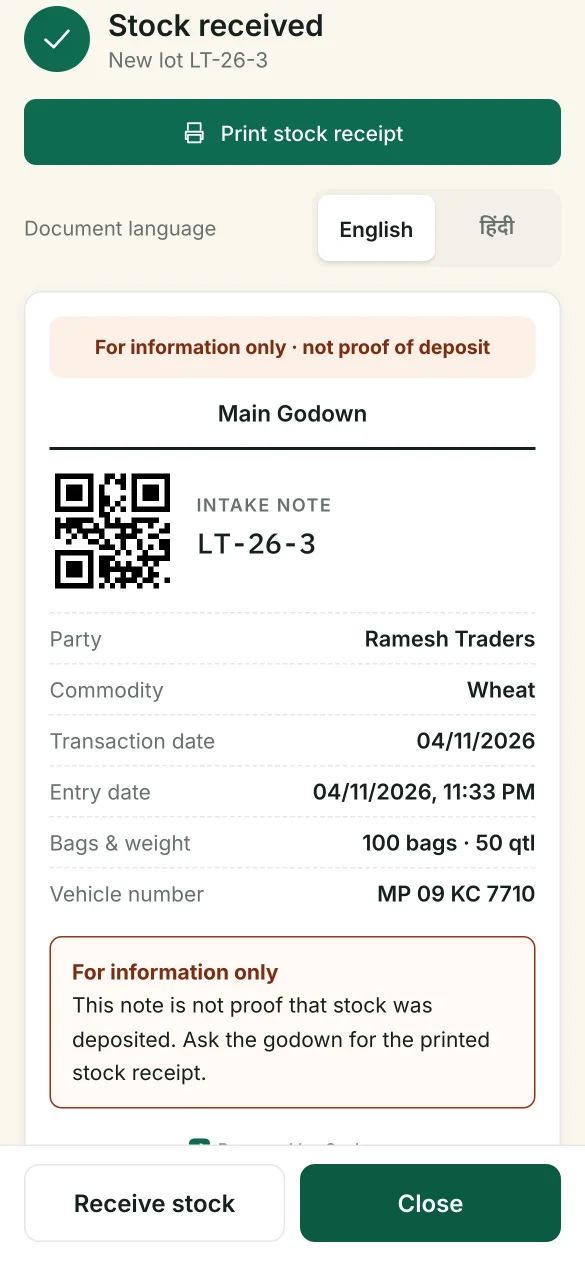
Intake note on WhatsApp
Send the party a quick note of what came in, in English or Hindi. It is clearly marked as not proof of deposit.
No separate staff needed
Owners and accountants can receive stock from their own phone, tablet or computer too.
The stock receipt
A receipt your parties can trust
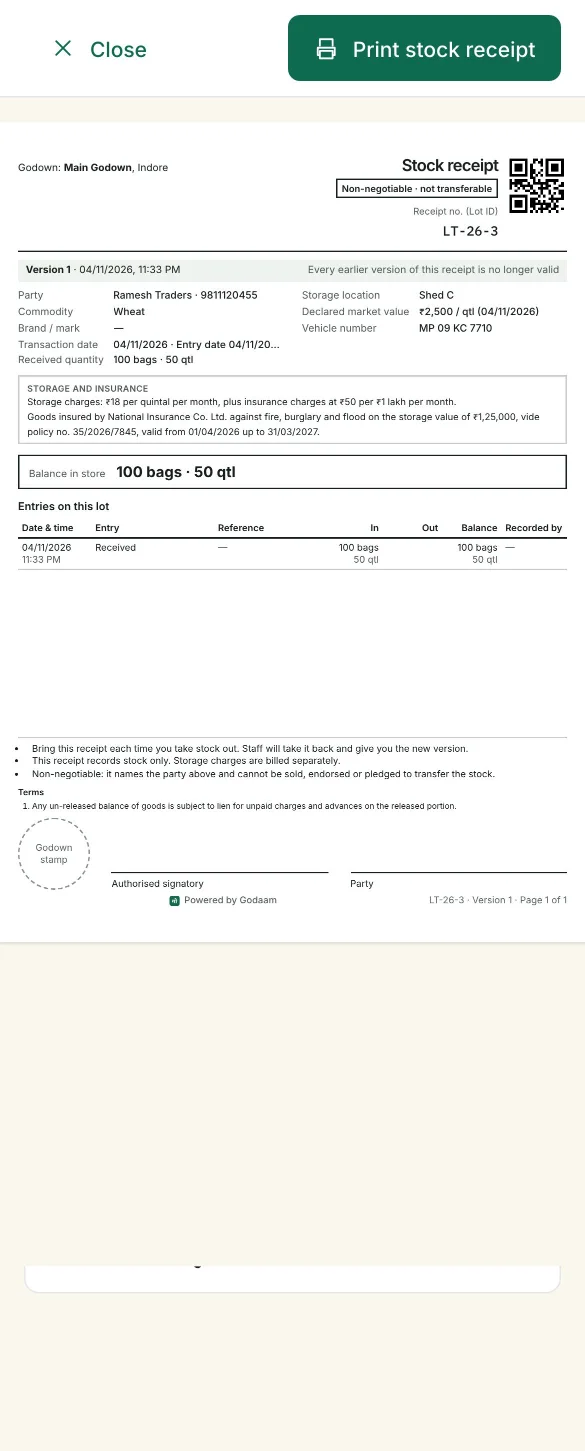
Each lot has one printed stock receipt on A4 or Letter. It shows the lot as it is now and every entry on it: received, each dispatch with its gate pass number, holds, and anything cancelled.
Versions
Every change starts a new version with its date and time. Earlier versions stop being valid.
Duplicate copies are marked
Printing the same version again marks it DUPLICATE COPY. Every print is in the audit log.
Old copy taken back
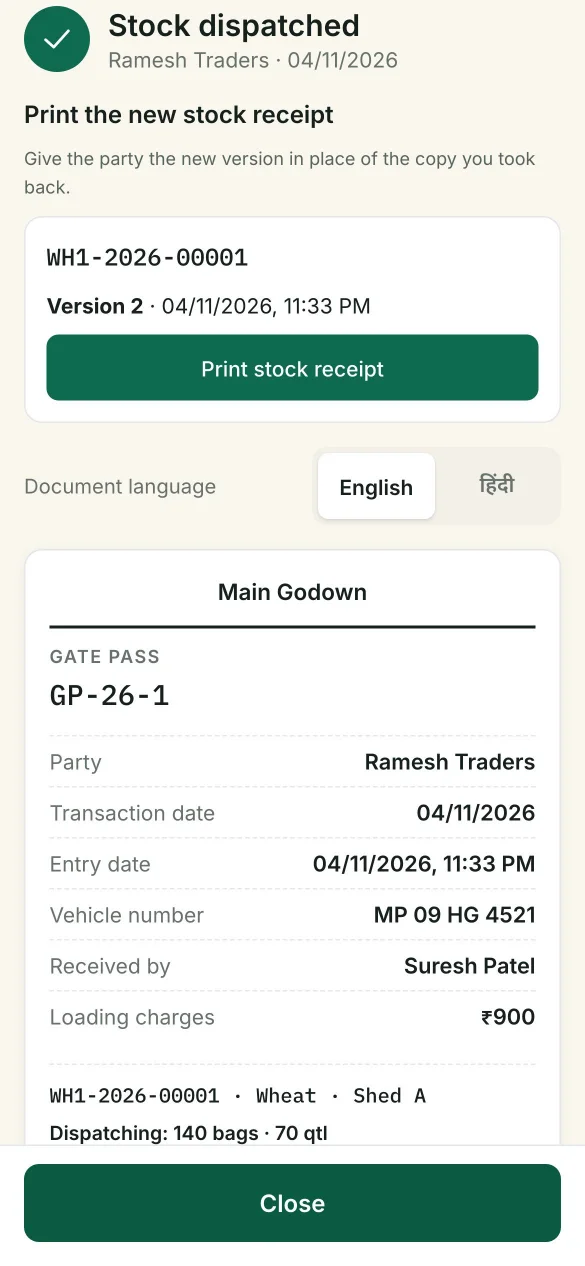
At dispatch, staff take back the party’s copy and give the new version. A copy that isn’t returned is printed on the gate pass and logged.
QR code
Scanning the receipt opens the lot on any staff phone.
Rates, insurance and terms
The lot’s rates, your insurance on the stock in store, and your terms, set for each godown. Space for your stamp and signatures.
Goods going out
A gate pass for every truck
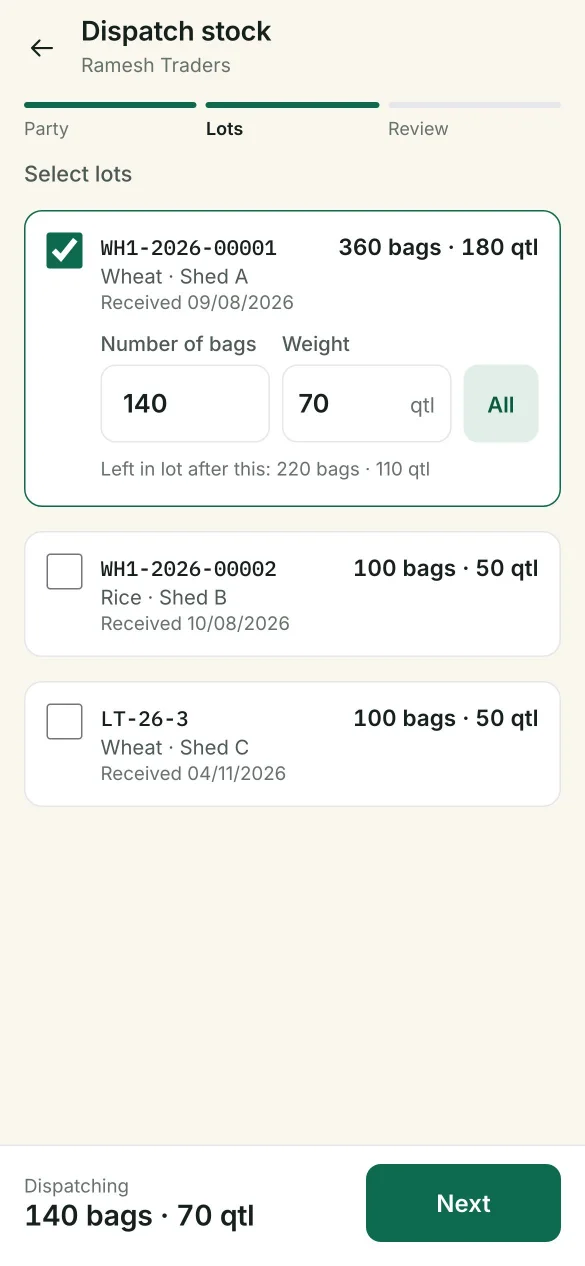
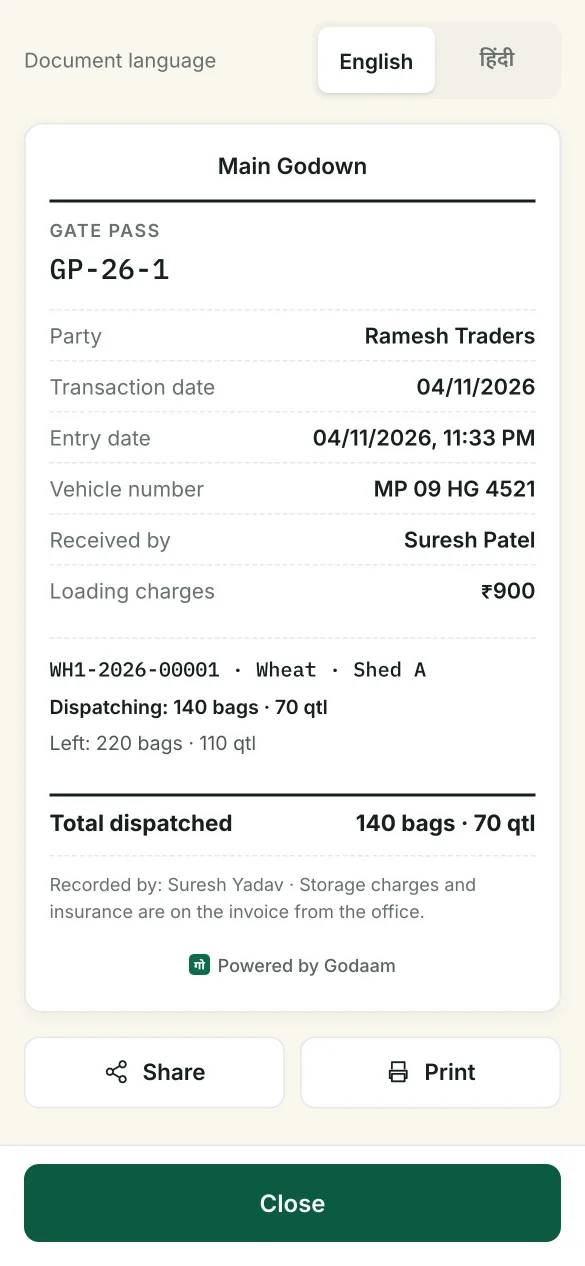
Take out a whole lot or part of one, from one lot or several. Godaam shows what will be left, then issues a numbered gate pass in English or Hindi.
You approve staff dispatches
A dispatch recorded by godown staff gets its gate pass only after the owner or accountant approves it. Rejected stock goes back into the godown, and the staff see why.
Stock never goes below zero
If another phone took stock from the same lot first, Godaam stops and shows what is really left.
Vehicle and collector
The gate pass records the vehicle number, who collected the goods and the loading charges.
Rent is worked out at dispatch
Storage rent and insurance come from the party’s rates, ready for the office to invoice.
Inside the godown
Always know where every bag is
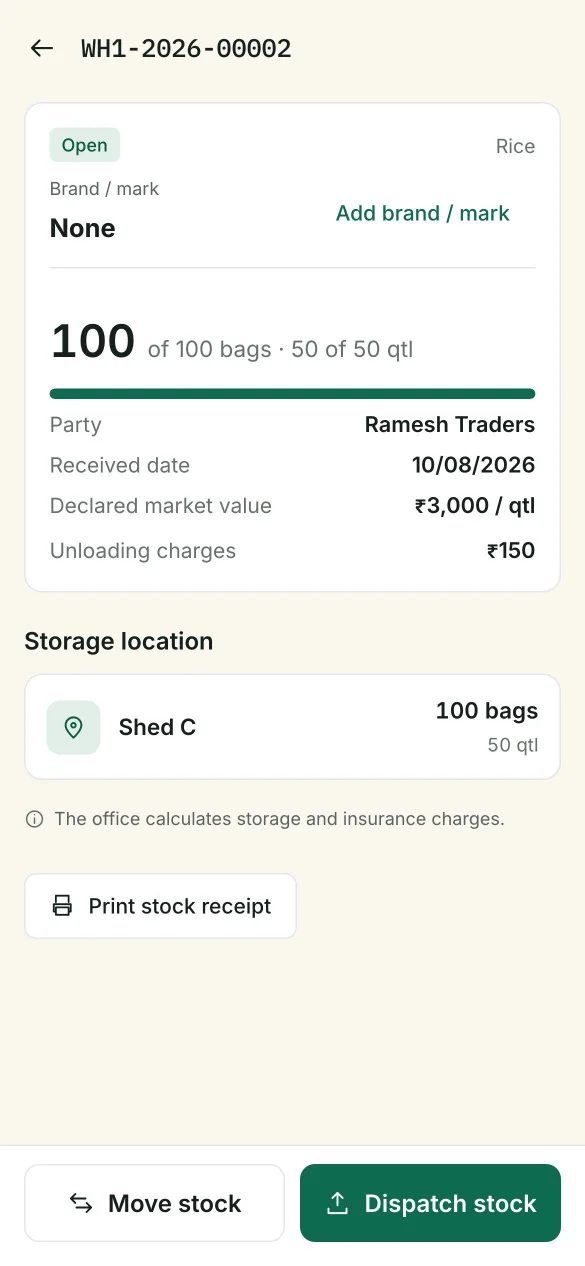
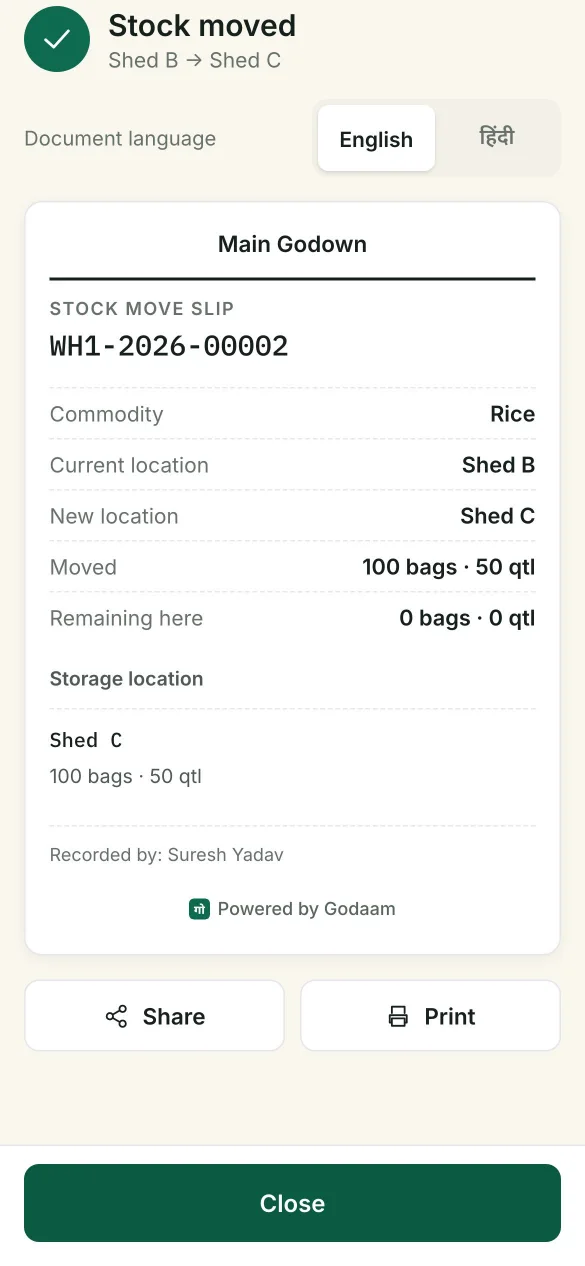
Move a lot to another shed or chamber in a few taps, and find any lot in seconds from the phone or the office.
Search any way
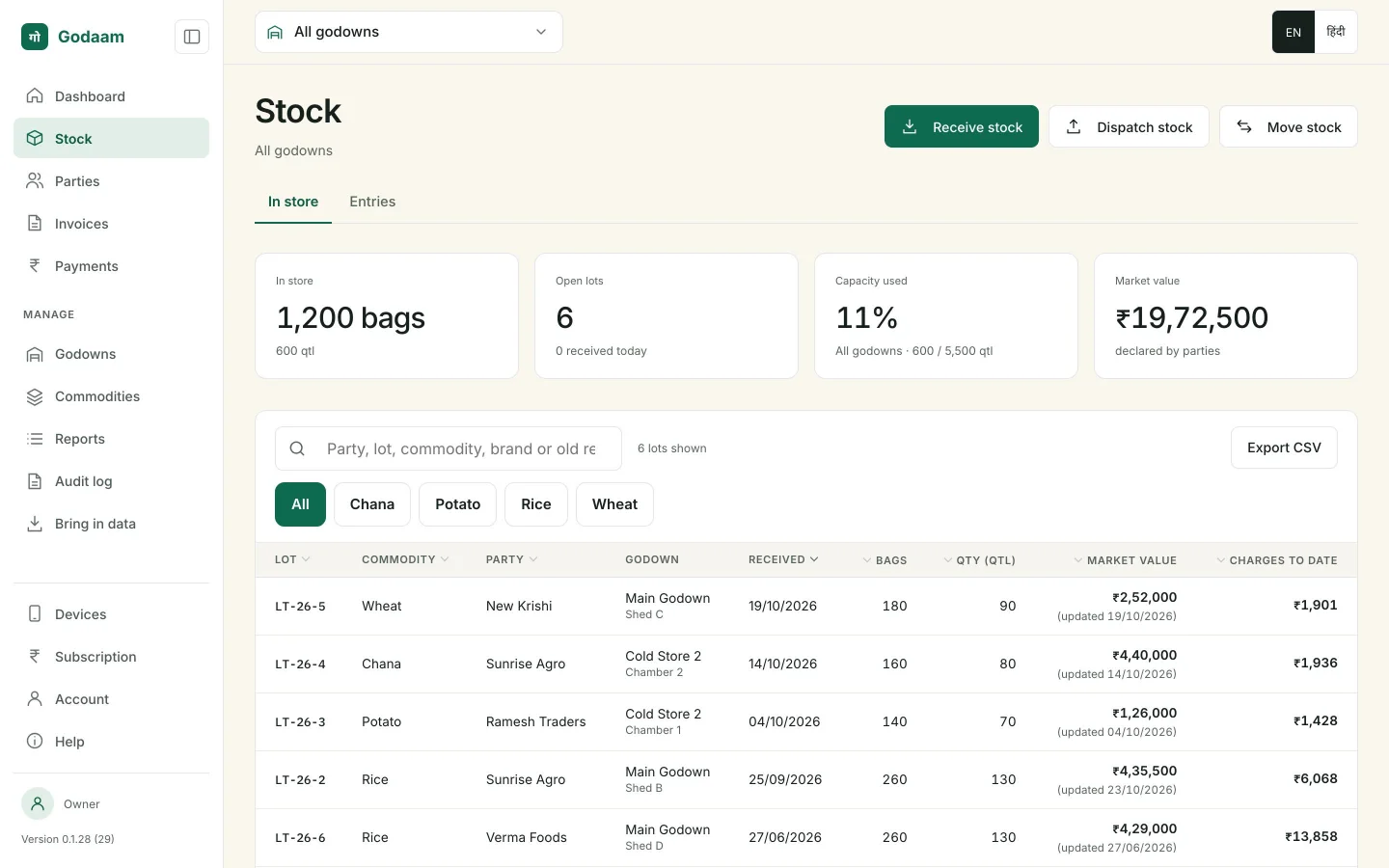
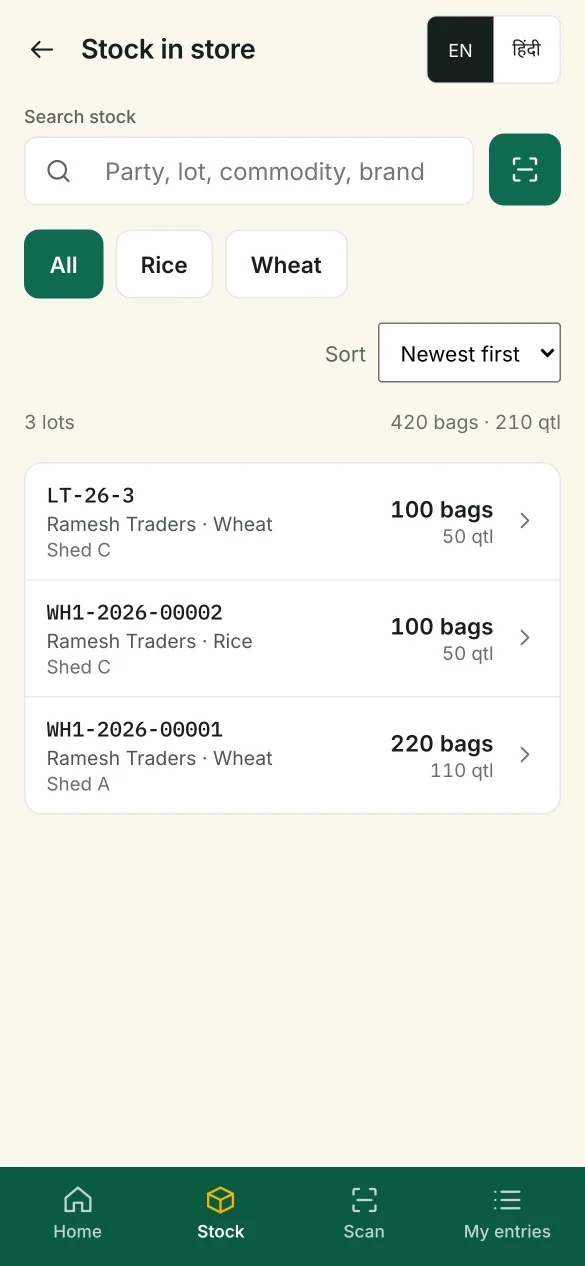
Party, mobile, lot number, commodity, brand or mark, or the receipt number from your old books.
Scan the receipt
The phone camera reads the receipt’s QR code and opens the lot.
Move stock
Shifting a lot to another shed or chamber takes a few taps. A movement slip records where it went.
Lot numbers that make sense
Short and easy to say (LT-26-1, LT-26-2…), one count that never starts again.
Space used
Set the godown’s capacity once; Stock and the dashboard show how full it is.
Owner controls
Protect pledged stock, fix mistakes cleanly
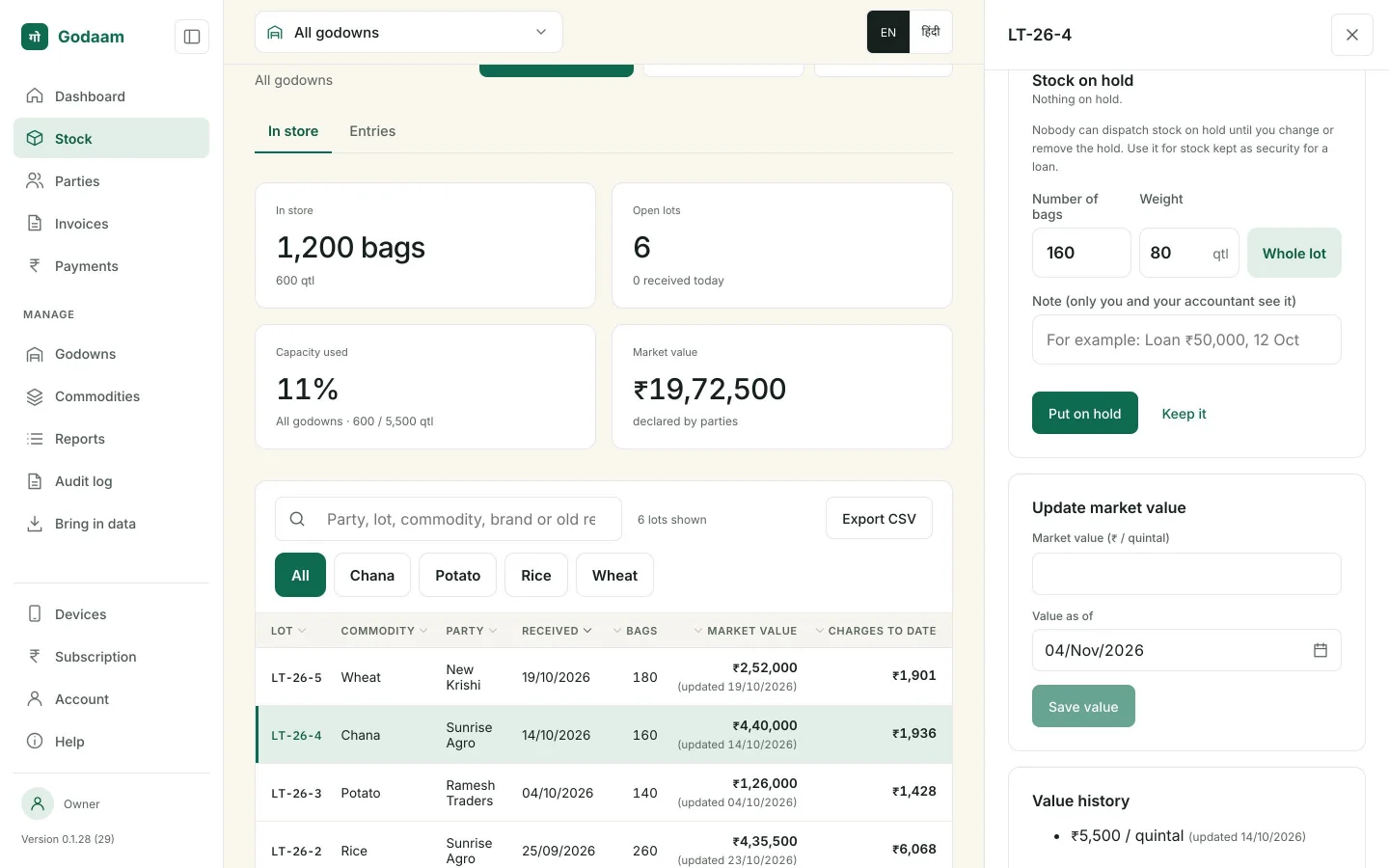
When a party takes a loan against stock, the owner can hold part or all of the lot. And when an entry is wrong, the owner can cancel it without losing the record.
Nobody can dispatch held stock
Hold the whole lot or part of it until you change or remove the hold. A private note, like “Loan ₹50,000, 12 Oct”, is seen only by the owner and the accountant.
Cancel and re-enter
The owner can cancel a lot’s latest entry, then enter it again correctly or just cancel it.
Nothing disappears
The cancelled entry stays visible, struck through, with who cancelled it and why. A cancelled receipt prints with CANCELLED across it.
Money
Set rates once, bill correctly forever
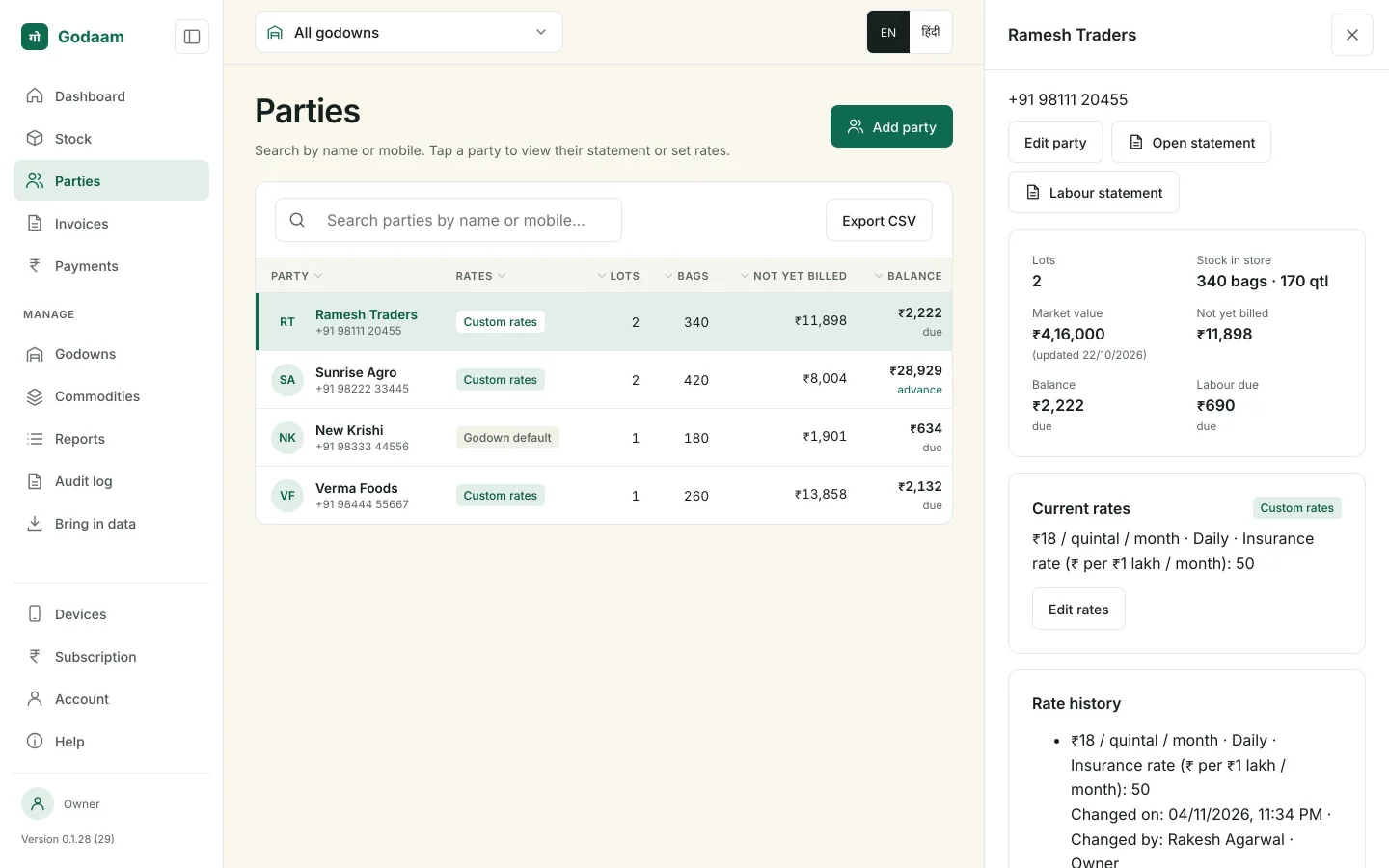
The godown has default rates. Any party can have custom rates instead. A lot keeps the rates it came in at, and every change is recorded with who made it.
| Charge | How it’s set | How it’s worked out |
|---|---|---|
| Storage rent | ₹ per quintal per month | The first month is charged in full. After that, choose Daily (each extra day is 1/30 of the rate), Weekly (each extra week is ¼) or Monthly (each month begun). |
| Insurance | ₹ per ₹1 lakh of value per month | Charged on the declared market value of the lot. The owner can update market values at any time. |
| Loading and unloading | ₹ per quintal, or a total | Entered at the gate when stock comes in or goes out. |
Invoices
Invoices that write themselves
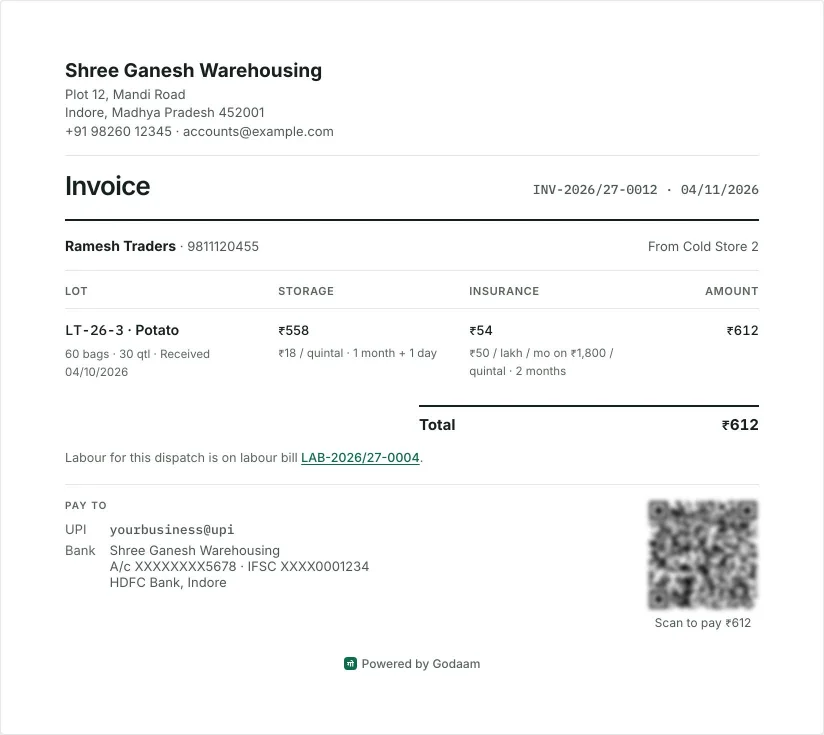
Every dispatch gets its invoice by itself once its gate pass is issued, with the rent already worked out, on your letterhead, numbered by financial year.
Clear line items
Storage rent with the period and insurance, for each lot. Unloading and loading go on a labour bill of their own, paid separately.
UPI QR to pay
Your UPI ID and bank details, with a QR code for the amount still due.
Print, PDF or WhatsApp
Print it, save it as a PDF, or send it to the party on WhatsApp, in English or Hindi.
Nothing forgotten
Dispatches waiting more than 3 days turn red, and the dashboard shows what’s waiting. Issued invoices can’t be edited.
Payments and statements
Know who owes what
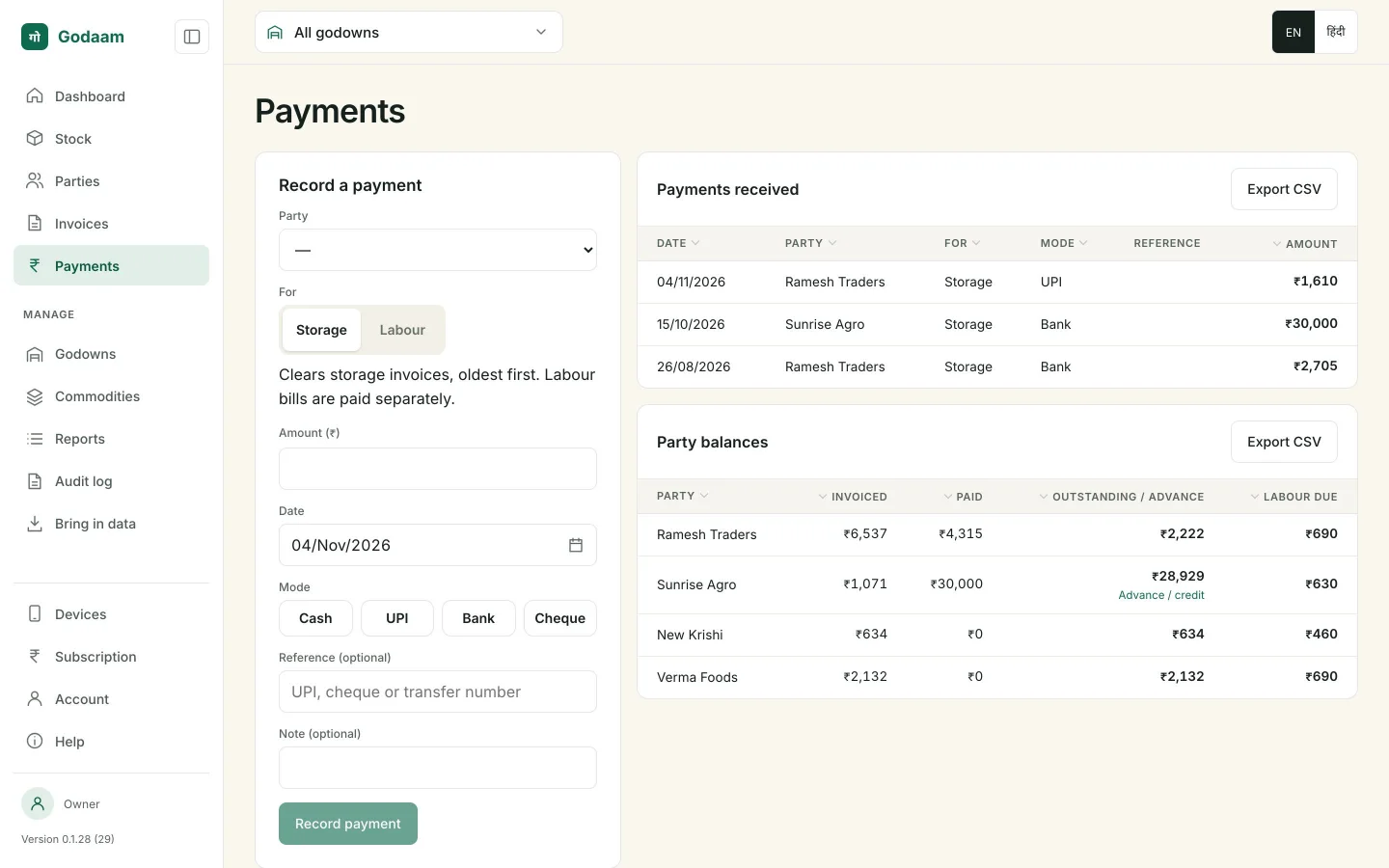
Record a payment by cash, UPI, bank or cheque. Godaam shows which invoices it settles, oldest first, and keeps any extra as an advance.
Party balances
Invoiced, paid and outstanding, or the advance held, for every party.
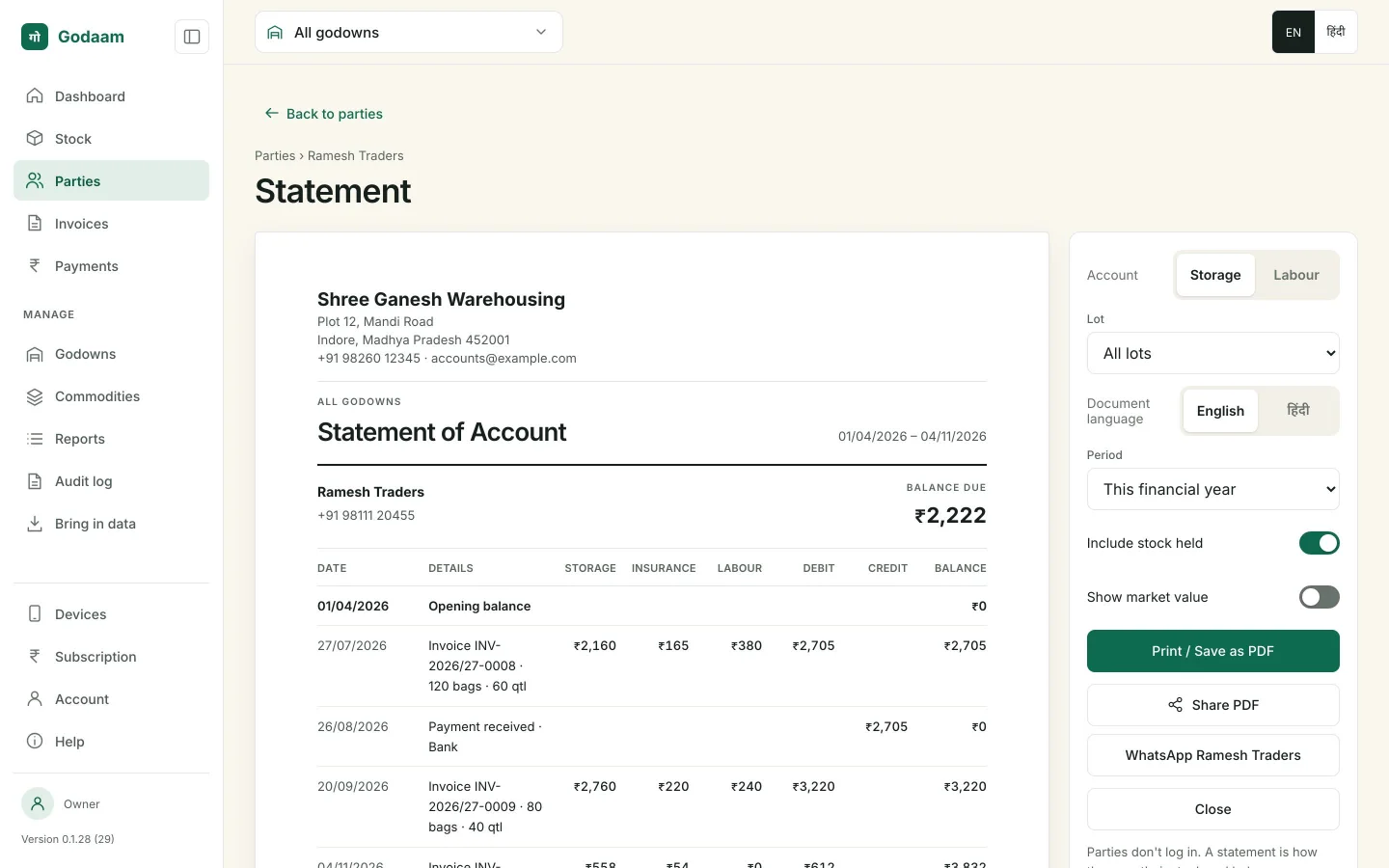
Statements of account
For any period, with opening and closing balance. Print it, save it as a PDF or WhatsApp it.
Parties don’t need the app
Their statement shows their stock and balance.
For the owner
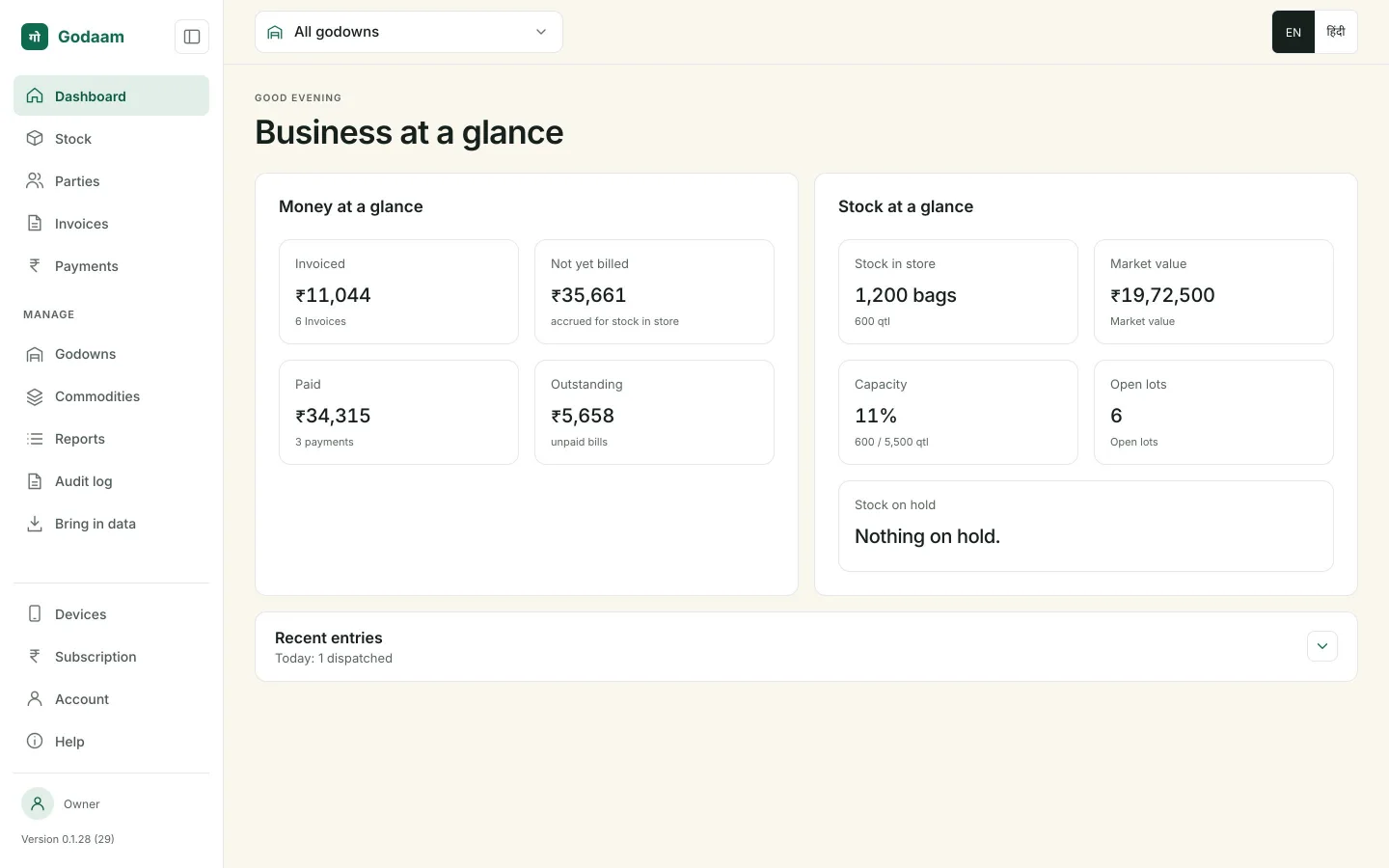
Your business at a glance
The owner’s dashboard shows money and stock in one place: invoiced, not yet billed, paid and outstanding, stock in store, market value, space used and stock on hold.
Six reports, each exportable to Excel (CSV)
Income
Storage, insurance and handling invoiced, by month.
Outstanding and ageing
Unpaid balances by party: 0–30, 31–60, 61–90 and 90+ days.
Collections
Payments received, by mode and by party.
Charges not yet billed
Rent and insurance building up on stock still in store.
Stock summary
Quantity, bags and value by party or commodity.
Lot ageing
Lots in store by how long they’ve been stored.
Filter by period and party. The accountant gets a dashboard of their own: dispatches waiting for rates, overdue bills and the oldest unpaid ones.
See it on your own stock
We’ll show you Godaam with your godown, your parties and your rates.